You spent hours preparing your outline. You used an equal amount of time making sure every slide was perfect; lots of pictures, few words. You know exactly what message you want to deliver. The only thing left is to make the presentation.  Whether it is a sales pitch to a valuable customer, a strategy about a change in business practice for your boss, or a training for a group of employees, you know you are about to shine. The lights come up and it is show time. At the end of your presentation, you realize things could have gone better. You ask yourself, “What went wrong?” The answer is you failed to rehearse. Rehearsals are an overlooked preparation, separating professionals from amateurs. No actor would ever step foot on stage without rehearsing; neither should you.
Rehearsing is important before any presentation.  Rehearsals are like proofreading a document. Few professionals would send out their first draft of a letter. The best have others look over the content, for spelling and grammar. A presentation rehearsal accomplishes the same thing. It allows you to find errors before your audience sees the product. Steve Jobs was notorious for rehearsing dozens of hours before any presentation. TED speakers rehearse hundreds of times before appearing on the red spot.
Here are three rehearsal tips: rehearse with a clock, practice using your media, and perform in front of a camera. Each has pros and cons. You should rehearse using more than one method.
 Time yourself. Practice with the time counting up and counting down. There are plenty of mobile applications available to help you meet your time hacks. You should know where you need to be in your presentation at particular points in time. Move quickly through your introduction. Quick introductions all time to present main points. Leave at the end to fit a quality conclusion. There is an old adage, “Tell them what your are going to say; say it; tell them what you said.” A rule of thumb for an introduction and conclusion is about 10% of your time for each. That leaves at least 80% of your time for the supporting points of your thesis. End a little short of your allowed time is better than running a few seconds long. The best way to nail your time is rehearsing.
Practice using your media. If you have slides, practice with just the slides. Slides reinforce the points you make verbally. They are not teleprompters. If you have video and audio, make sure they work. Always bring speakers suitable for the room. Practice writing your points on chart paper or boards. Neatness is important.
 Record your rehearsal; watch your recording. Reviewing your recorded presentation allows you to edit. By the time you are on stage it is too late. Recording your presentation allows you to hear the pace and volume of your speech. You observe mannerisms, good and bad. You hear words that work well, and not so much. The recording allows you time to fix the bad and improve the good.
Your presentation is all about the story. Rehearsing ensures your story is heard, understood, and acted upon by others. Practicing reveals flaws in your presentation permitting corrections. Practice reinforces your strong points. Failing to rehearse before a presentation is like sending out a first draft of a written product. Your audience sees all the flaws. Time rehearsals. Use the media you intend to show. Record and watch yourself. Taking time to rehearse polishes your act. You present a professional image. Before your next presentation, rehearse, rehearse, rehearse.
Photo Credits
All photos from pxhere.com. No individual attribution provided. CC0 license.

 Any popular instruction beyond the basics of how to create slide decks emphasize the importance of graphics. Presenters face challenges finding inexpensive images to really make their learning or persuasion points powerfully. Learning about and finding public domain and Creative Common licensed images liberate presenters from corny clip art and open a world of high quality pictures, clip art, and video free from fees and royalties.
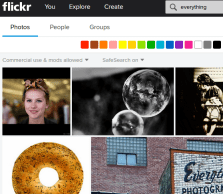 Flickr is the big name, but not the only source for free images. Google Images provides access to lots of images. Like flickr, not all are free, but like flickr, you can filter your search result to show just public domain or Creative Commons images.
 Pxhere.org images are all Creative Commons licensed with no use restrictions. That means anyone can use or remix any image for any legal purpose according to the website.
  Clip art is more difficult to find, but a good source is openclipart.org. All images are open source. Users should familiarize themselves with the restrictions of each type of license before using images from any source.





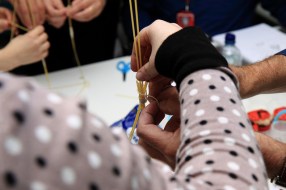 class that is designed specifically to meet your training objectives. Good practical exercises are copied by instructors because designing them is tough work. The first time you have a student build a pasta tower to the ceiling and perches his or her marshmallow at the top, you realize it is better to use your own ideas to reinforce your learning points.

 velopment classes, I teach a segment on the importance of using your voice. Trying to write a wimpy presenters fast pace, low volume and even monotone speech is more difficult than demonstrating it for a class. There are many reasons people use poor vocal skills while presenting such as lack of confidence in front of others, inexperience as a presenter and contempt for the topic. The opposite is also true. Speaking at a rapid pace in a loud volume continuously sounds like you are recording a commercial for the latest monster truck rally. Three cliches come to mind when considering the use of one’s voice during a presentation. The first is “Slow is smooth and smooth is fast”. The second, “Variety is the spice of life.” The final, “Silence is Golden.”